

ngrok creates a secure public URL that forwards traffic to a port running inside your Agent 37 terminal. That means your app can stay bound toDocumentation Index
Fetch the complete documentation index at: https://agent37.com/docs/llms.txt
Use this file to discover all available pages before exploring further.
localhost in the instance while still being reachable from the internet.
For example, if your app runs inside the Agent 37 terminal on:
Step 1: Open the Agent 37 terminal
- Sign in to the Agent 37 dashboard
- Open the instance where your app is running
- Click Terminal
Step 2: Add your authentication token
Before you continue, confirm ngrok is available: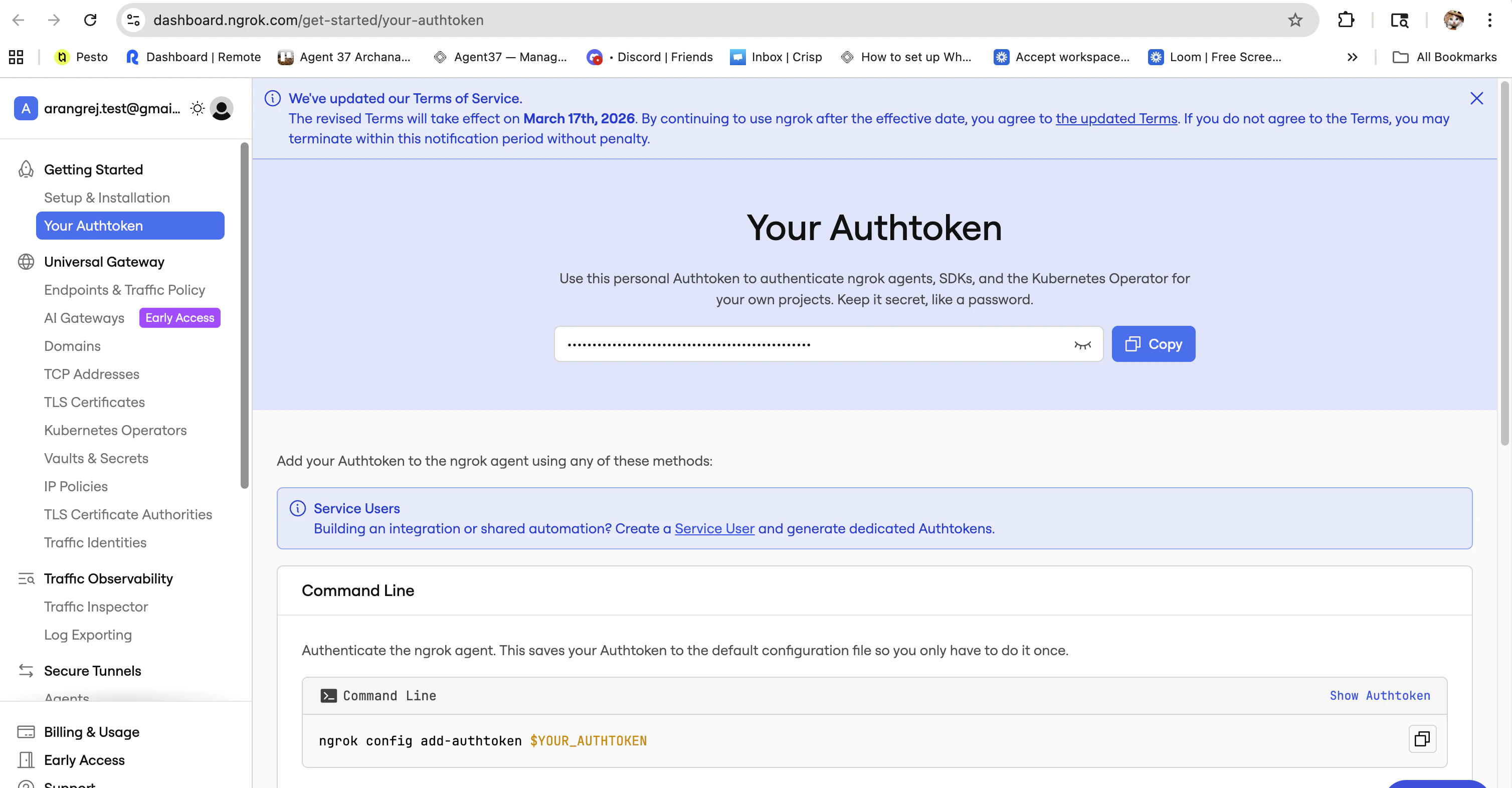
Step 3: Start an ngrok tunnel from the Agent 37 terminal
If your app runs on port3000, run:
3000 with that port number.
ngrok will start a tunnel and show output similar to:
Step 4: Open the public URL
Copy thehttps://...ngrok... forwarding URL and open it in your browser.
You should see the app running inside your Agent 37 instance through the ngrok URL.